How to Book a Vehicle Wash on WashPot: Step-by-Step Guide
Published 16 August 2026
Booking a wash on WashPot takes a few steps, from browsing nearby providers to confirming your slot. Here's exactly what that looks like.
1. Choose your service mode and browse nearby providers
Open the app and pick a service mode — Self Drop, Pickup, or Doorstep — then browse the list of nearby providers, filterable by category and distance.
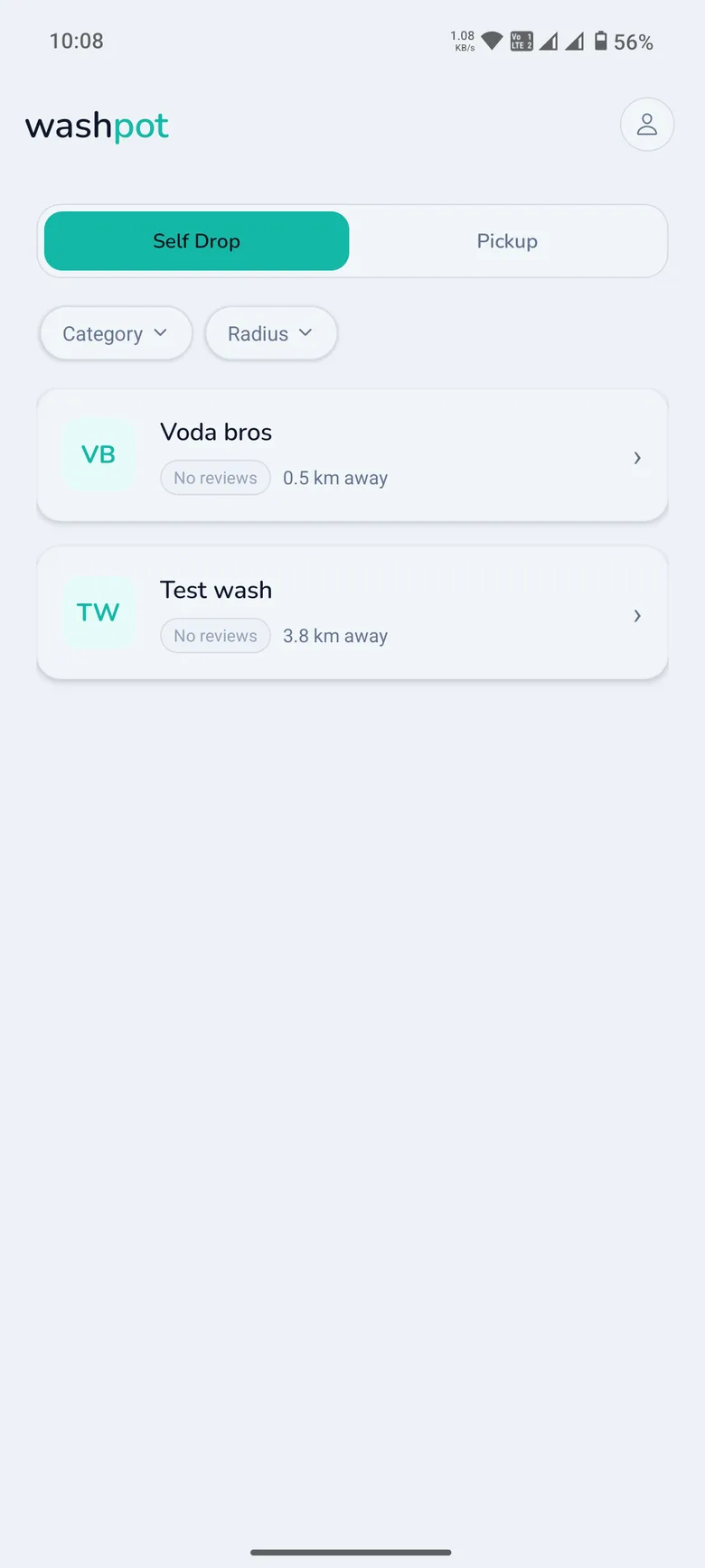
2. Pick a provider, vehicle category, and service
Open a provider to see their services and pricing broken down by vehicle category. Select the service you want — pricing and estimated duration are shown up front.
3. Choose a date and time slot
Pick a date, then choose an available time slot. Slot length is based on the estimated duration of the service you selected, so you always know how long it will take.
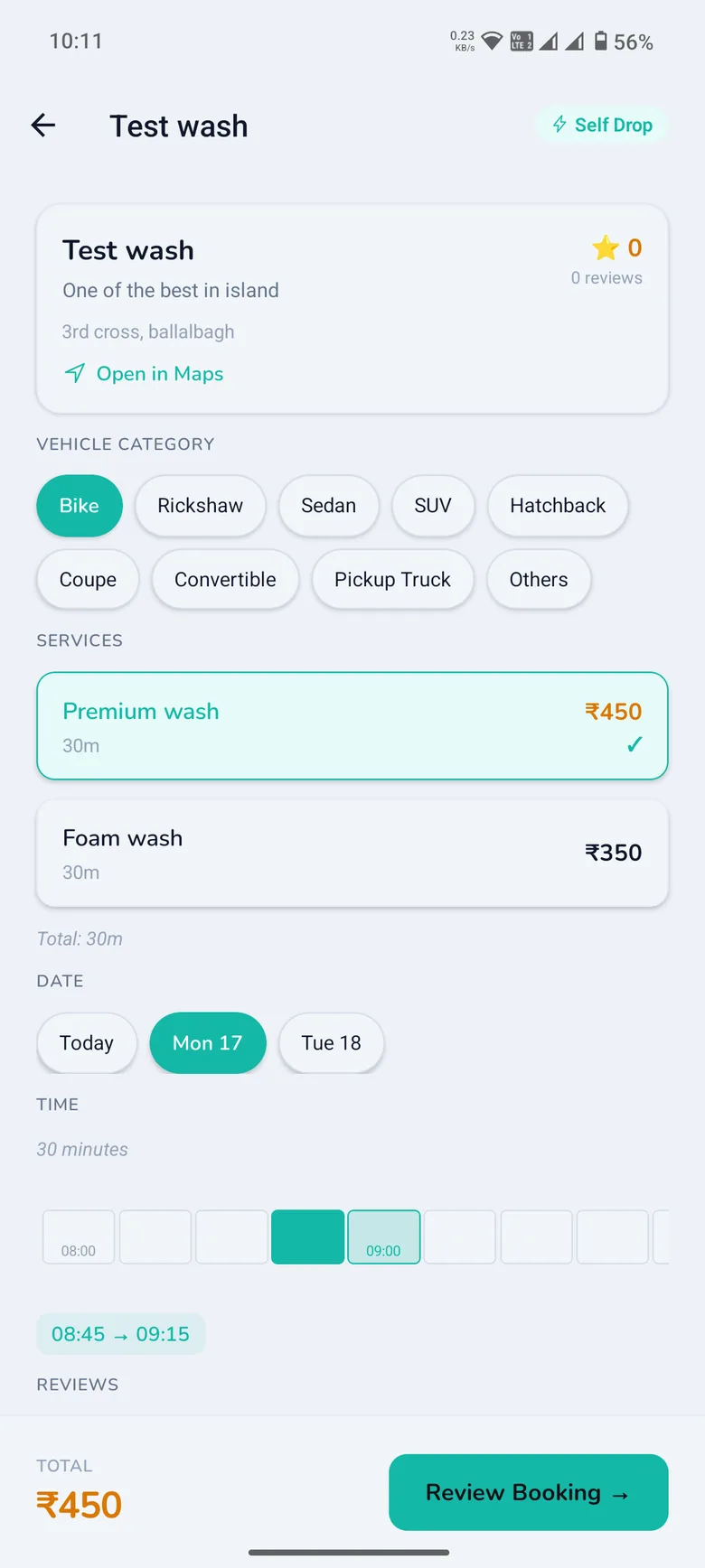
4. Review your booking
Before confirming, review the provider, selected service, pricing breakdown, and service mode. Everything is laid out clearly, with no hidden line items.
5. Confirm and track your booking
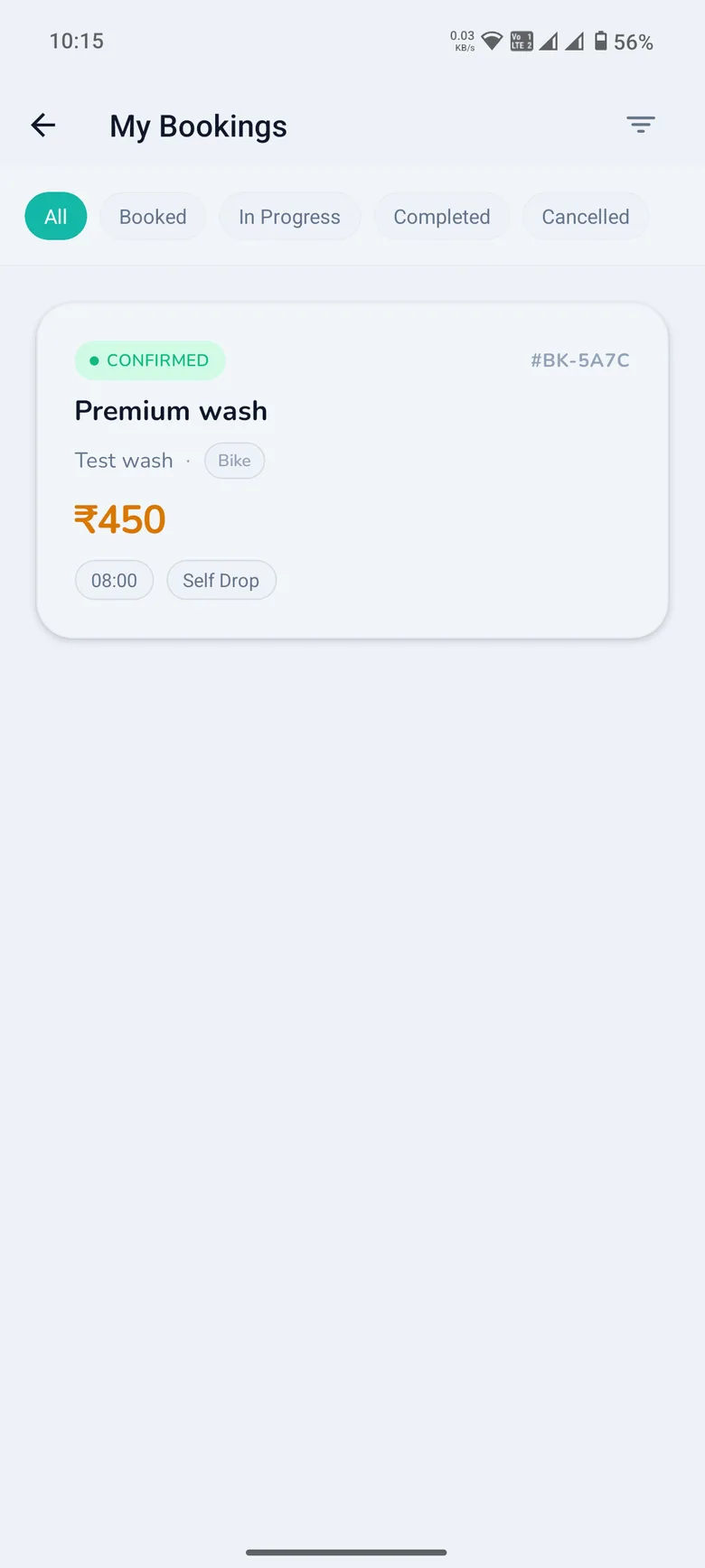
Once confirmed, your booking appears with a unique booking code and status. You can track it from Confirmed through to Completed at any time from My Bookings.
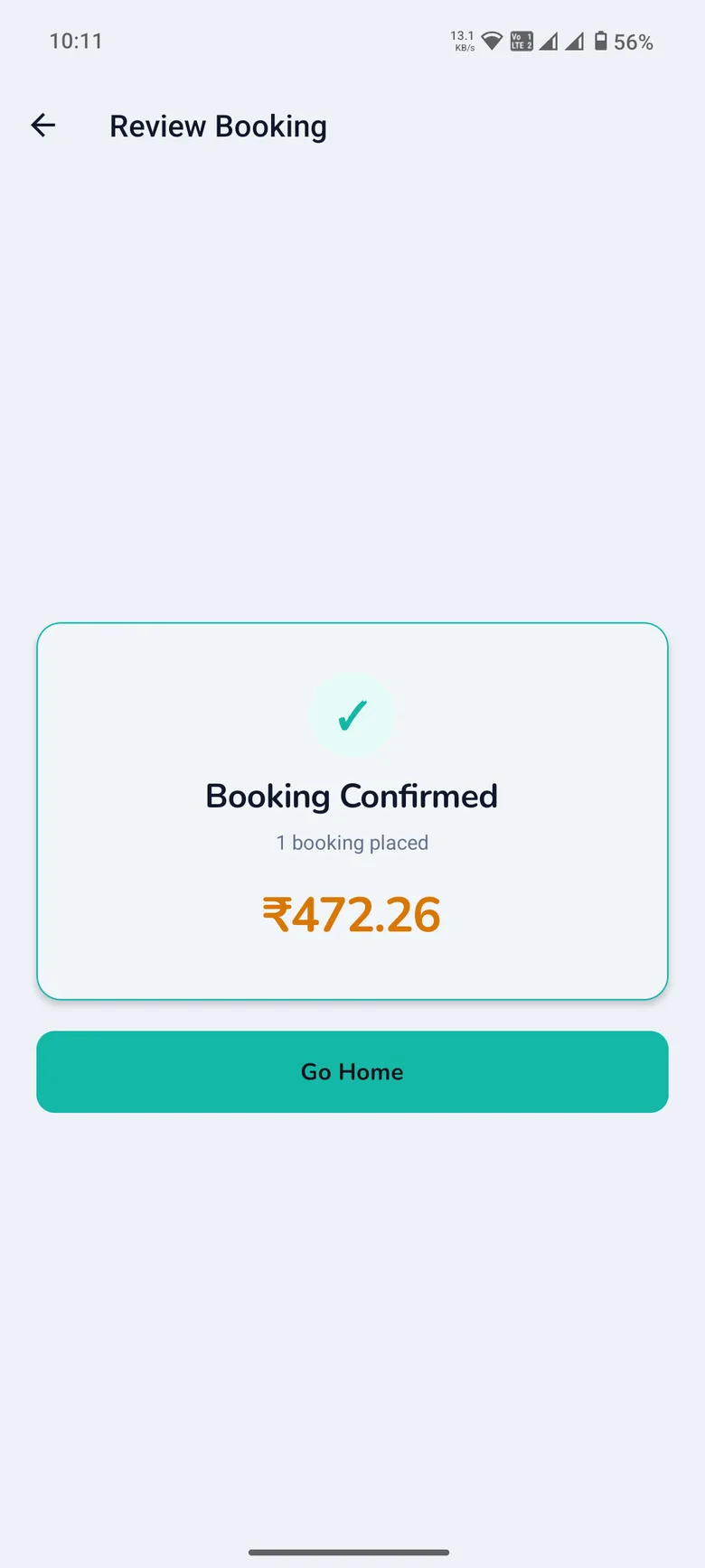
Managing your bookings afterwards
All your past and upcoming bookings live under My Bookings, filterable by status — All, Booked, In Progress, Completed, or Cancelled — so you always have a record of what you've booked and when.
Video guide
We're putting together a full video walkthrough of the booking flow. Check back here soon — it'll be embedded on this page once it's ready.
Related reading
Curious about the different wash types you can choose from? Read what a vehicle wash actually is, and the main types available. If you run a wash business yourself, see how providers can grow their business with WashPot.